Your content.
Every way to build.

A multilingual, multi-site headless CMS on your own Cloudflare account. Edit visually, read it through a live API, or generate a backend you own.

In development. Join for early access.

Fictional demo Skip tour
Actual Dee Wan interface with the Meridian Review demo publication

The interactive tour requires JavaScript. Explore the documentation

Multi-site by design Your Cloudflare account MIT licensed

Built for more
than one site.

Separate where it matters. Together where it helps.

One team.
Room for all.

Give each site its own content, models, media and roles. Share published content or components across sites when you choose.

Explore multi-site workspaces
  • Separate content & roles
  • Shared components
  • Shared published content
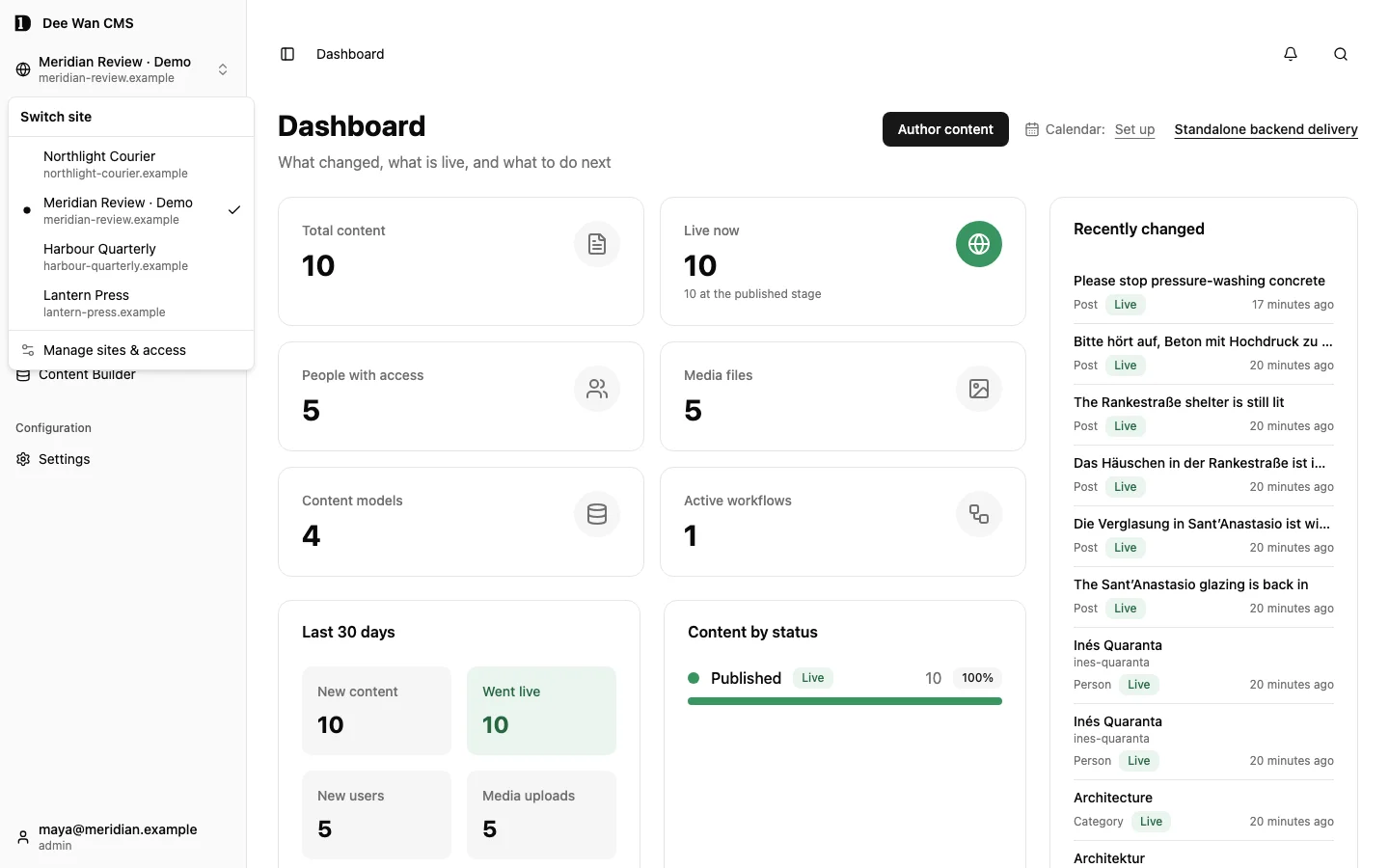
Site switcher listing four sites in one Dee Wan installation
One installation · four sites · fictional demo

Every language.
Publish when ready.

Assign language owners and review the exact version that will go live. Publish each translation when it is ready.

See language reviews
  • Language owners
  • Version-specific review
  • Independent publishing
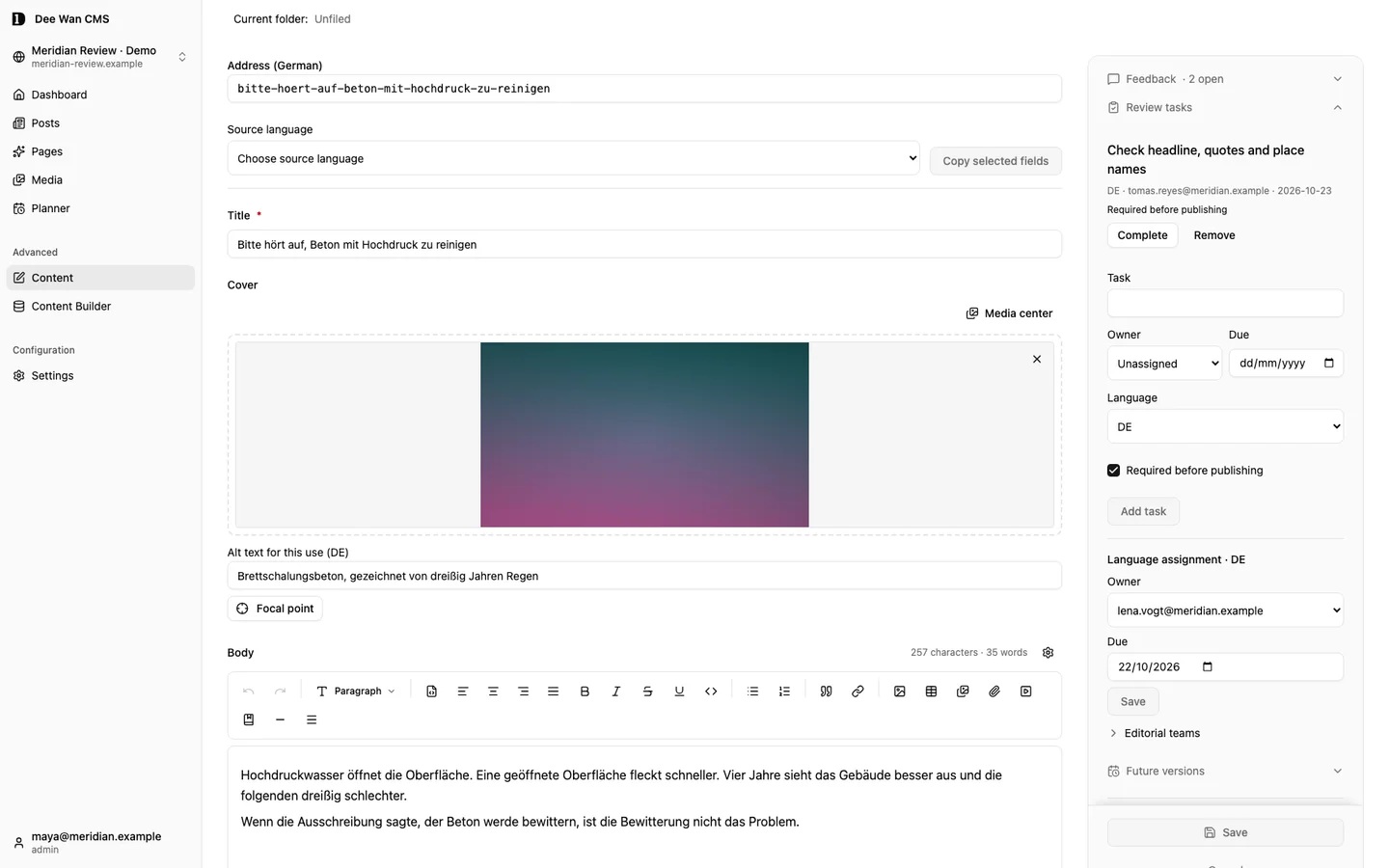
German article with a required review task and a German language owner
Language owner and review task · fictional demo

Model it
in the browser.

Add content types and fields in the CMS without writing database migrations. Reuse components, relations and validation as your sites grow.

Explore models and fields
  • Reusable components
  • Relations
  • Validation
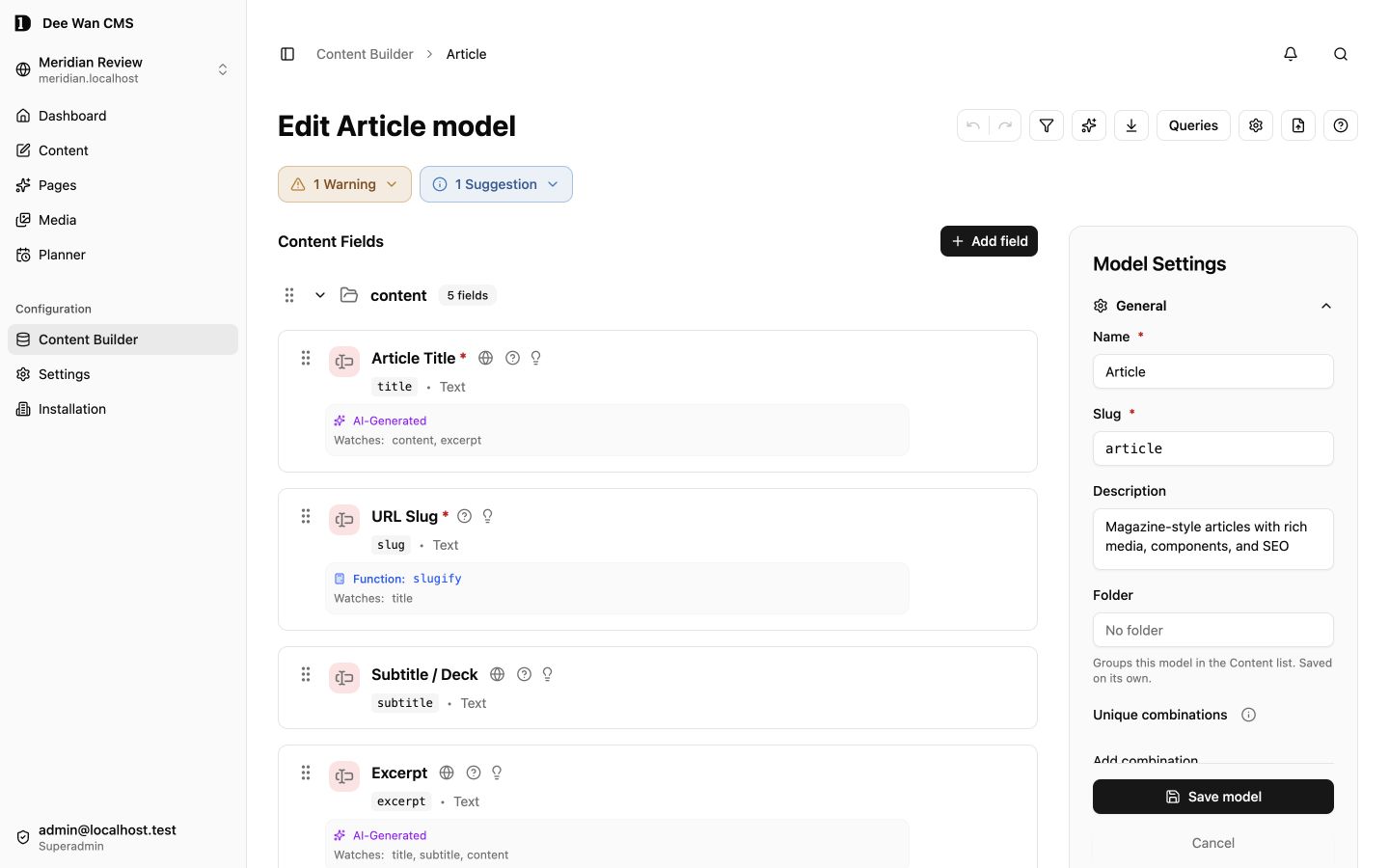
Visual model builder showing content fields and their types
Model builder · fictional demo

Live API or a
backend you own.

Start with the live CMS API. Generate an independent backend when your project needs one.

Two ways to deliver published content
Delivery Live CMS API Generated API
Updates On publish Regenerate and deploy
Runs with Your CMS installation Its own backend and database

Generated project structure

Prisma schema, reviewable migrations and API source.

  • prisma/schema.prisma
  • migrations/
  • src/generated/routes/
  • src/owned/backend.ts
  • data/published-snapshot.json
See generated files

Your generated API uses its own database, without calling Dee Wan. Custom code in owned files survives regeneration. Generate locally into your own repository.

The whole publishing job.

Create, review, publish and keep building. In one workspace.

VISUAL PUBLISHING

Build pages
from sections.

Compose real sections. Preview the structure on phone, tablet and desktop. Give every page its own SEO.

Explore the page builder
  • Reusable sections
  • Phone, tablet and desktop preview
  • Page-level SEO
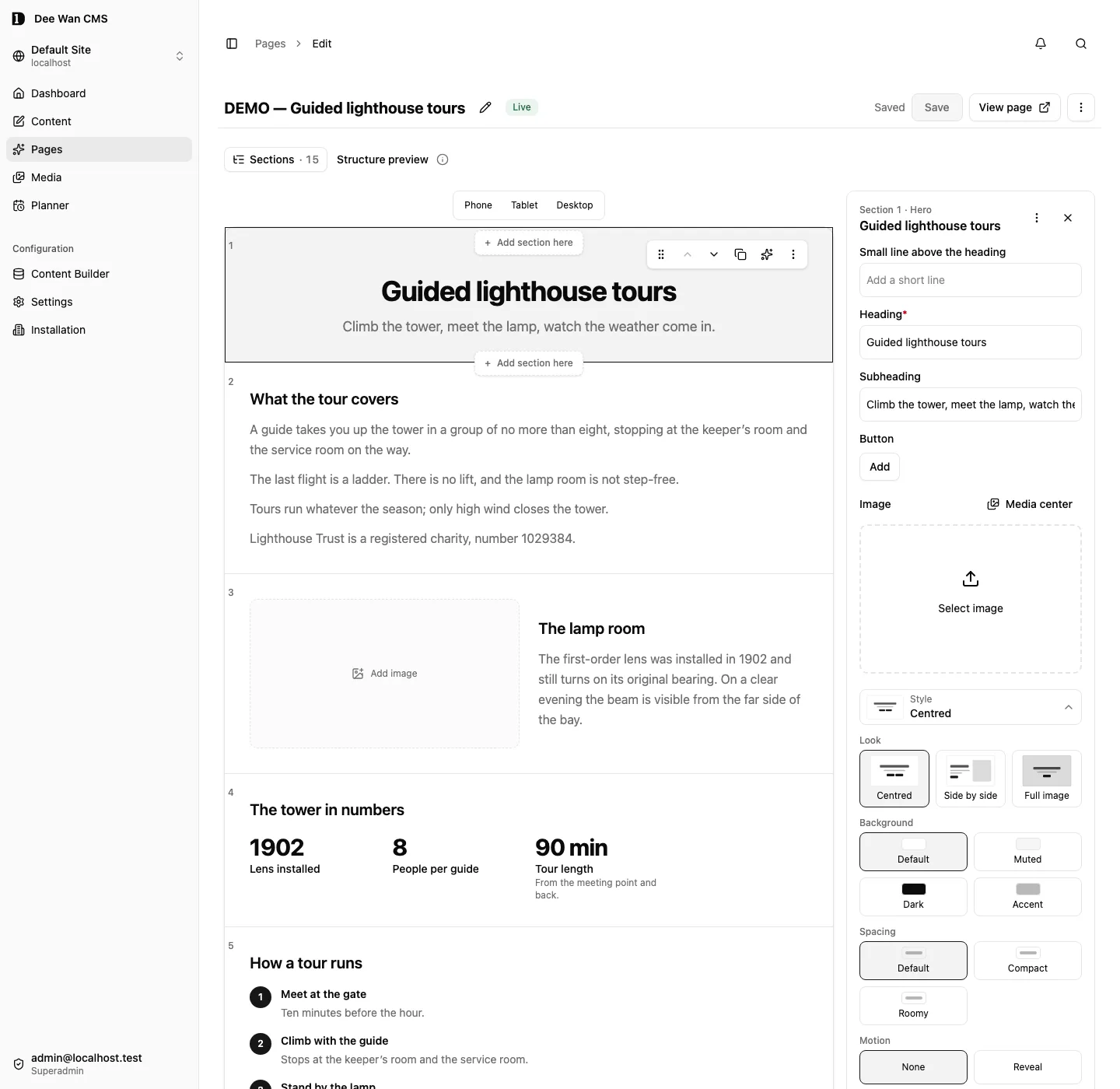
Dee Wan page editor with page sections and publishing controls
Page builder · product capture

A workspace for the whole team.

Review and collaborate

Make the call.
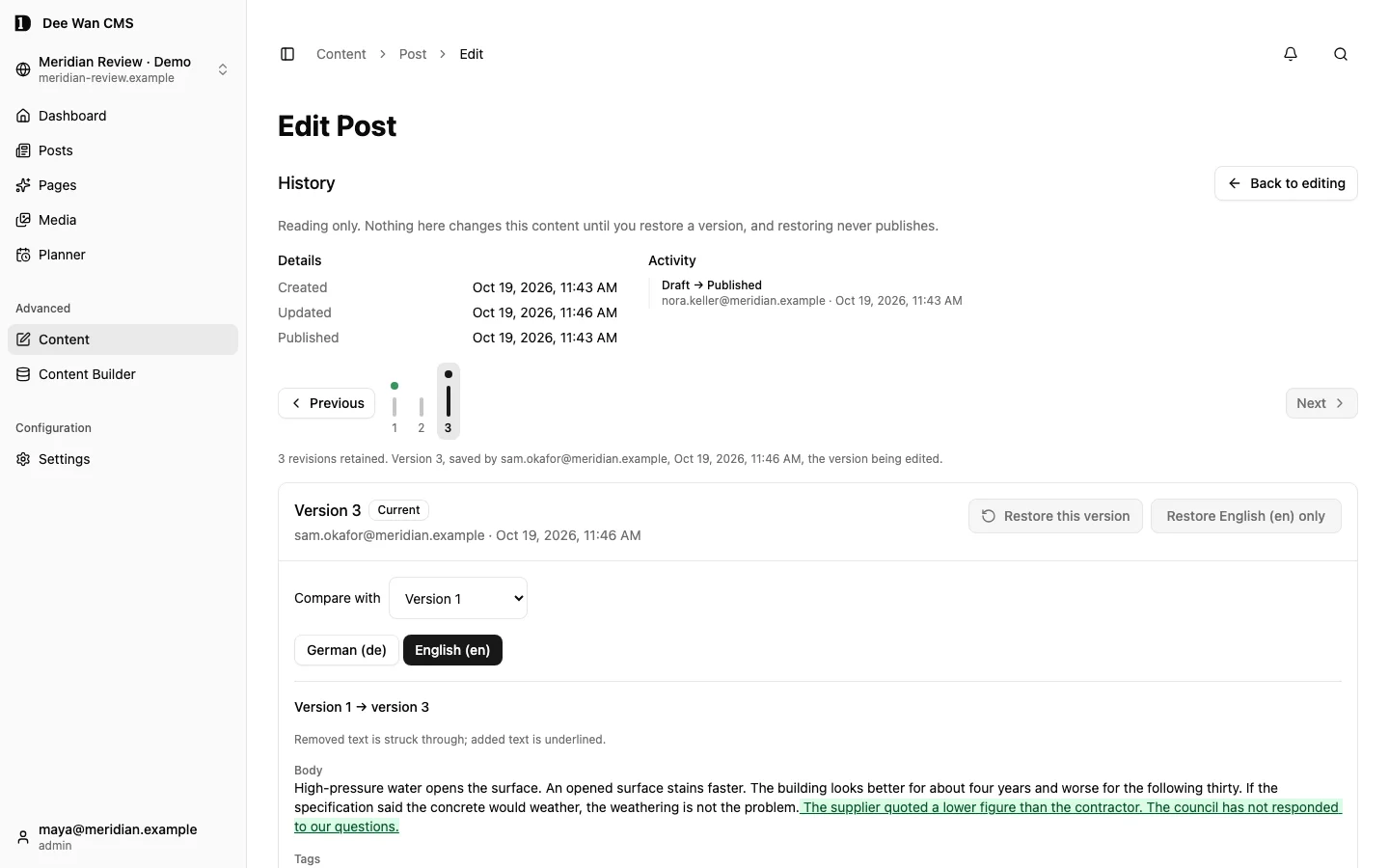
Keep the history.

Review the exact version. Keep feedback beside the draft. Choose whether approval comes before publishing.

Version history comparing two versions of an article, with the added text highlighted
Version history · fictional demo
  • Assignments & feedback
  • Shared drafts
  • Version history

AI and agents

AI proposes.
You decide.

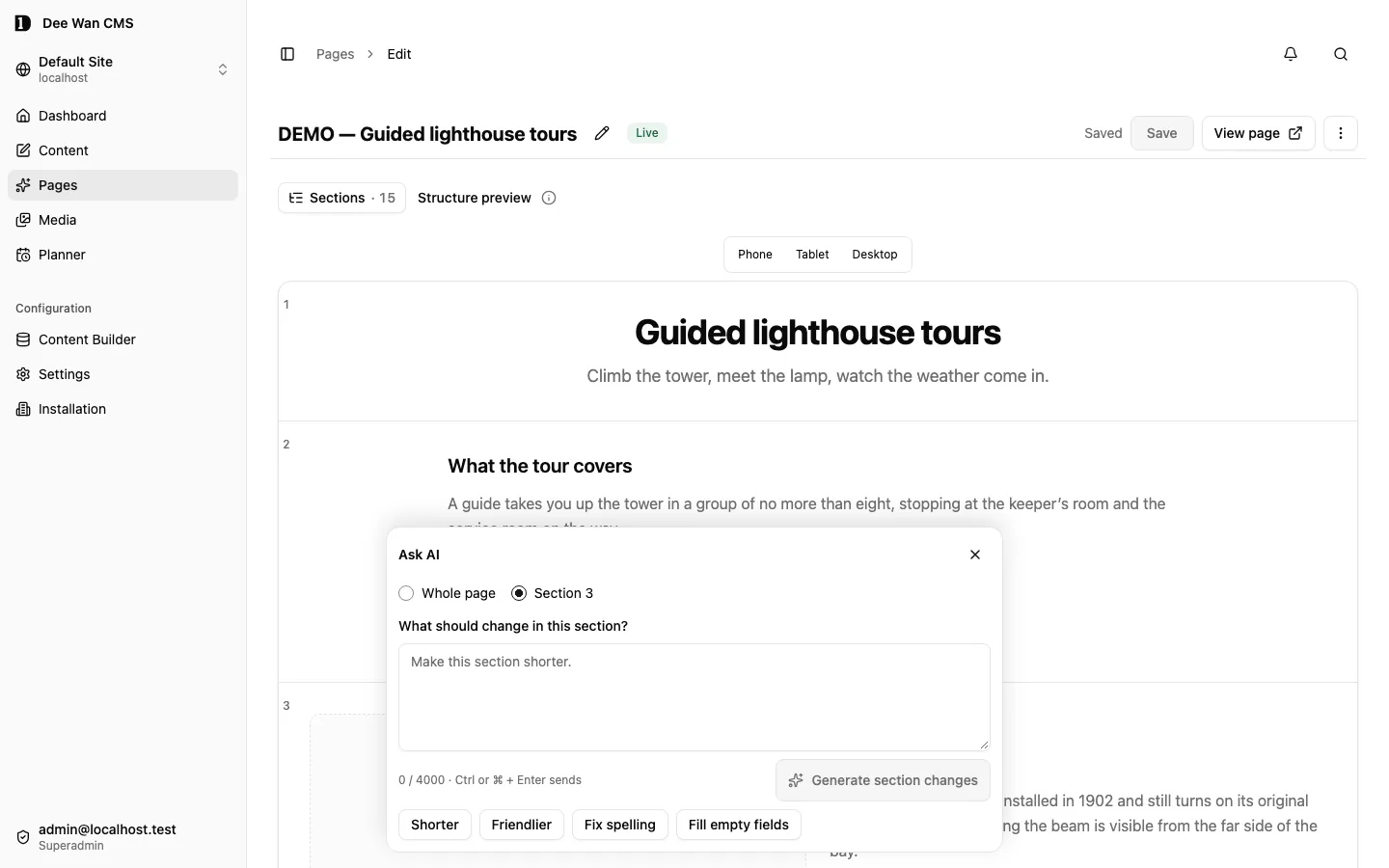
AI throughout the publishing workflow. Draft a page, translate a collection, generate an image—or connect your own agent to the CMS.

Choose your provider

AI inside Dee Wan

DeepInfra
Default connection.
OpenAI-compatible
An endpoint your deployment configures.

Keys stay on the server.

Ask AI dialog scoped to Section 3, with shorter, friendlier and spelling actions
One section or the whole page · product capture
Start with your context

Page generation uses your Site Brief, voice and design. The content planner builds drafts from your approved brief and recorded sources.

Explore the planner
Work beyond one prompt

Generate fields, rich text, page sections and images. Rewrite, translate, summarize or apply terminology across a selection—with proposals to review.

See batch AI
Connect what you already know

Find related content by meaning and suggest internal links from your site.

AI editing guide

Your agent, connected

A CMS your agent
can work with.

MCP gives compatible AI clients real management tools: content, models, media, workflows, imports and plugin operations.

Use your client’s own AI. Connect over HTTPS with account sign-in in OAuth-capable clients, or use the local stdio adapter.

Connect through MCP

Remote MCP · your CMS address

https://cms.example/api/manage/mcp
  1. Read
    list_entries

    Find the content to work on.

  2. Propose
    create_entry_proposal

    Send field changes for an editor to review.

  3. Publish
    publish_entry

    Publish when granted permission and workflow rules allow it.

Real management tools. You choose the site and permissions. Proposals wait for review; authorized direct writes act immediately.

Give your agent the manual, too.

Searchable documentation over MCP, plain-text guides and an agent skill. Built from the same published docs.

More in the
product.

Everyday tools and deeper controls.

Day-to-day publishing

Content workspace
Saved views, search and field filters, bulk edits and spreadsheet round trips. Resume autosaved drafts and restore one language.
Media workspace
Folders, tags, crops and focal points. Private files for site members.
Blog and search
Posts, taxonomy, feeds, visitor comments and site search.
Website forms
Submissions, attachments and email or webhook delivery.
Content planner
Ideas and drafts from your recorded sources, for review.

Team and access

People and access
Roles by site, model, field and language. Sign-in, recovery and audit history.
Scheduled releasesNot deployed yet
Scheduled and coordinated releases through the Scheduling plugin.
Backup and recoveryPilot
Export and restore guides. Trash and version recovery.

Fits your stack

Import and export
Strapi, WordPress, CSV/XLSX, site/history transfers and reviewed model promotion.
APIs and agents
Public API, location queries and incremental sync, typed clients, management API, CLI and MCP. Query builder: saved queries and generated access rules.
Plugins and integrationsPilot
Remote plugin fields, panels and actions. Approved embeds.
Webhooks
Signed lifecycle events with retries.
Pre-release scope

Your next sites.
Start here.

Be first to hear when early access opens. Dee Wan is in development.